PU 507 | 506 | 505 (Globe+) and 424 (Globe): Ability to validate KSeF ID in financial entries using HTML files from KSeF portal (Polish legislation)
You can now include the KSeF ID in all the sales and purchase entries through the XML import, SDK, and entity. However, these entries will only pass the initial format validation. To complete validation, the KSeF ID must match the corresponding HTML file from the KSeF portal, ensuring it is correct and linked to the right entry.
This product update introduces the validate HTML from KSeF portal functionality, which enhances financial data accuracy and compliance. This enhancement provides a mechanism to manage and validate KSeF IDs in the financial entries using HTML files downloaded from the KSeF portal without integrating with the KSeF system.
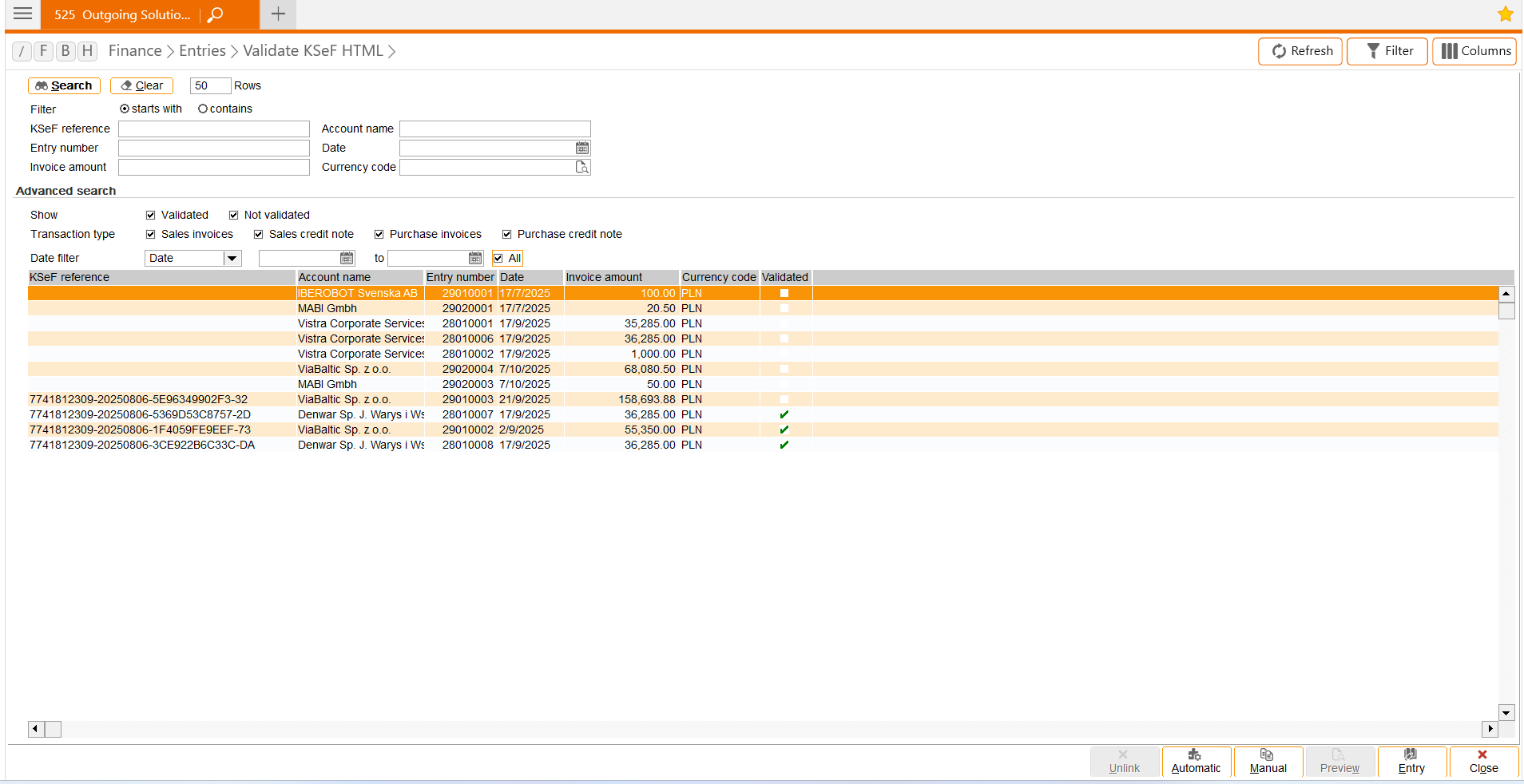
New screen
We have introduced the menu path. The Validate KSeF HTML screen allows you to view, filter, and validate KSeF HTML and financial entries.
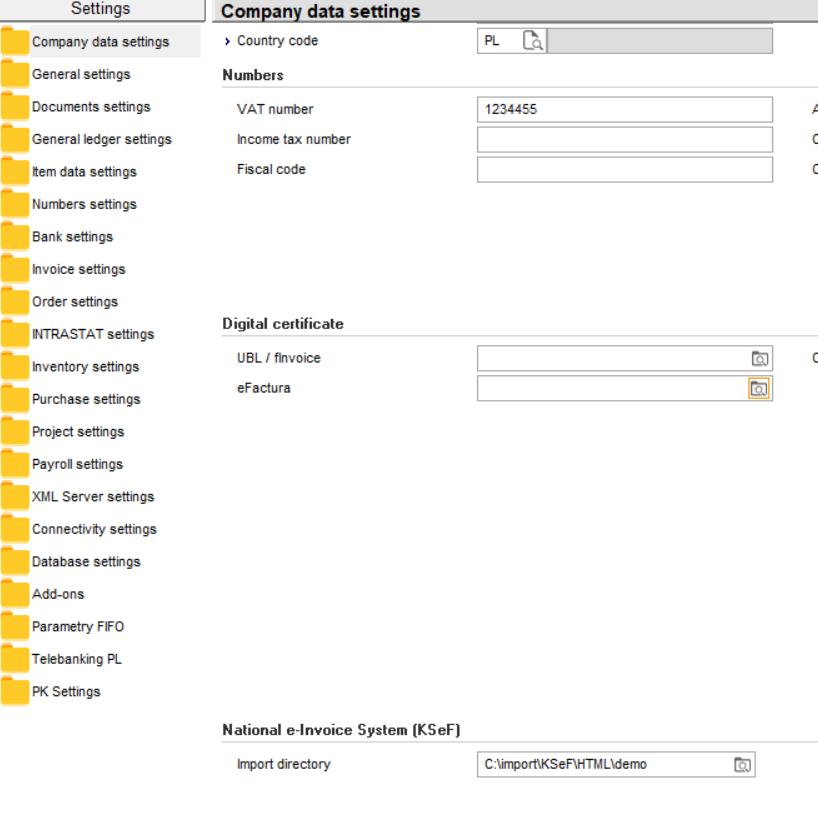
Import file directory settings
You can define the default directory path where all the KSeF invoice HTML files that are downloaded from the KSeF portal will be stored. These files will be used for matching.
Select the directory of the HTML files at Import directory under the National e-Invoice System (KSeF) section at .
Validation
The following conditions are required before you validate the entries:
- You have defined the Import directory field in the National e-Invoice System (KSeF) section at .
- The KSeF files have been retrieved from the KSeF portal and saved with the .html extension.
- The financial entries exist in the sales and purchase journals (entries from the general journals are excluded) and contain valid KSeF references with the correct format.
Automatic validation
You can automatically validate all the HTML files in the import file directory with the sales and purchase entries by clicking Automatic at .
The system will do the following:
- Retrieve all the HTML files from the defined import directory.
- Extract the contents from each file.
- Match the extracted data with the sales and purchase entries using the KSeF reference.
Matched HTML files are automatically moved to an archive folder in the same path as the Import directory. A copy of each matched file is also saved as a document attachment linked to the financial entry.
If you click Automatic in the Validate KSeF HTML screen, all the HTML files in the import directory will be processed and matched with the sales and purchase entries that contain KSeF references, regardless of whether the record is displayed in the overview.
Manual validation
You can validate the HTML files manually if you only want to validate one HTML file by clicking Manual at .
Matching process
The following will be taken from the HTML and used in the matching process:
- Invoice number
- KSeF reference
- Seller tax number
- Buyer tax number
- Invoice date
- Invoice amount and currency
If the financial entries are created without KSeF reference, the debtor or creditor tax number is required.
Validation error
If matching fails during automatic or manual validation, you can rectify the problem.
There is only one HTML file but there are multiple entries that match the criteria
There might be multiple financial entries sharing the same Our ref. or Your ref. which prevents the system from matching the correct entry. If this error occurs, the error code “7” will be displayed under the Response message column in the manual HTML overview screen.
Incorrect KSeF reference linked to the financial entries
You can create financial entries with KSeF reference using XML, connectivity layer, or SDK. Errors may occur when the entries are created, which results in incorrect KSeF reference being assigned.
Archive HTML file
HTML files that are retrieved from the KSeF portal must be saved in the import file directory before the system can use them to validate the financial entries with the KSeF references. To prevent the directory from being overloaded, each time the HTML file is successfully matched with the financial entry, the following occurs:
- The original HTML file will be moved to a local archive folder created in the same path as the import directory.
- A copy of the HTML file will be saved in the system as a document attachment linked to the matched financial entry.
For more information on Polish National e-Invoice System, see Using the Polish National e-Invoice System (KSeF) platform (Polish legislation).
Note: This functionality only supports purchase journals, sales journals, and general journal entries with sales and purchase types.
| Main Category: |
Attachments & notes |
Document Type: |
Release notes detail |
| Category: |
|
Security level: |
All - 0 |
| Sub category: |
|
Document ID: |
32.881.858 |
| Assortment: |
Exact Globe+
|
Date: |
08-01-2026 |
| Release: |
|
Attachment: |
|
| Disclaimer |