How to: Consume UserRoleLink and BrowserData.UserRoles entities
Introduction
This document provides the sample code for your reference when using the following entity services:
The test application is attached in this document.
How to use the test application
- Extract the attachment TestUserRoleLink.zip into the Globe+ installation folder and set up the project to compile into the Globe+ BIN folder.
-
Compile and run the application.
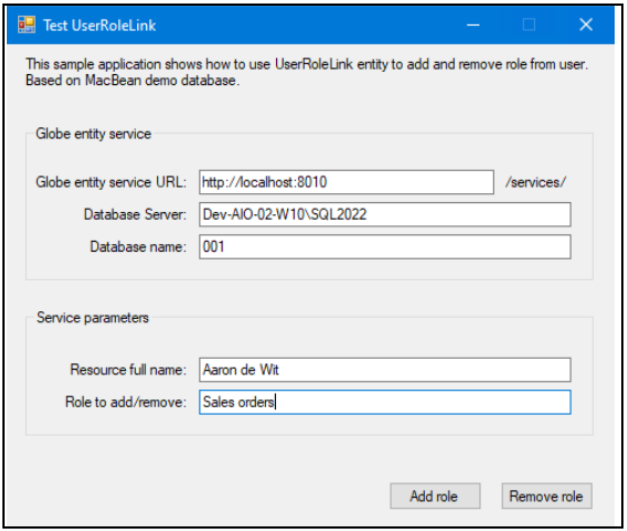
- Fill in the parameters to add or remove a role.
-
An employee’s full name is used to search for the user data. The full name can be found in Globe+ through HR > People > Maintain.
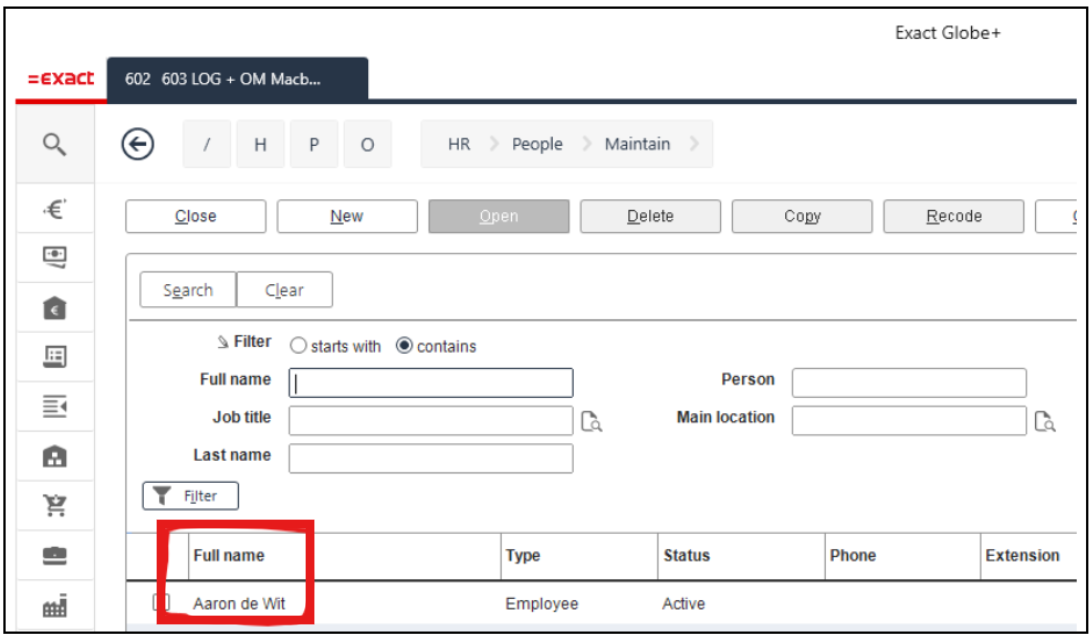
-
The role name is used to search for role data. The role name can found in Globe+ through HR > People > Security roles > Maintain.
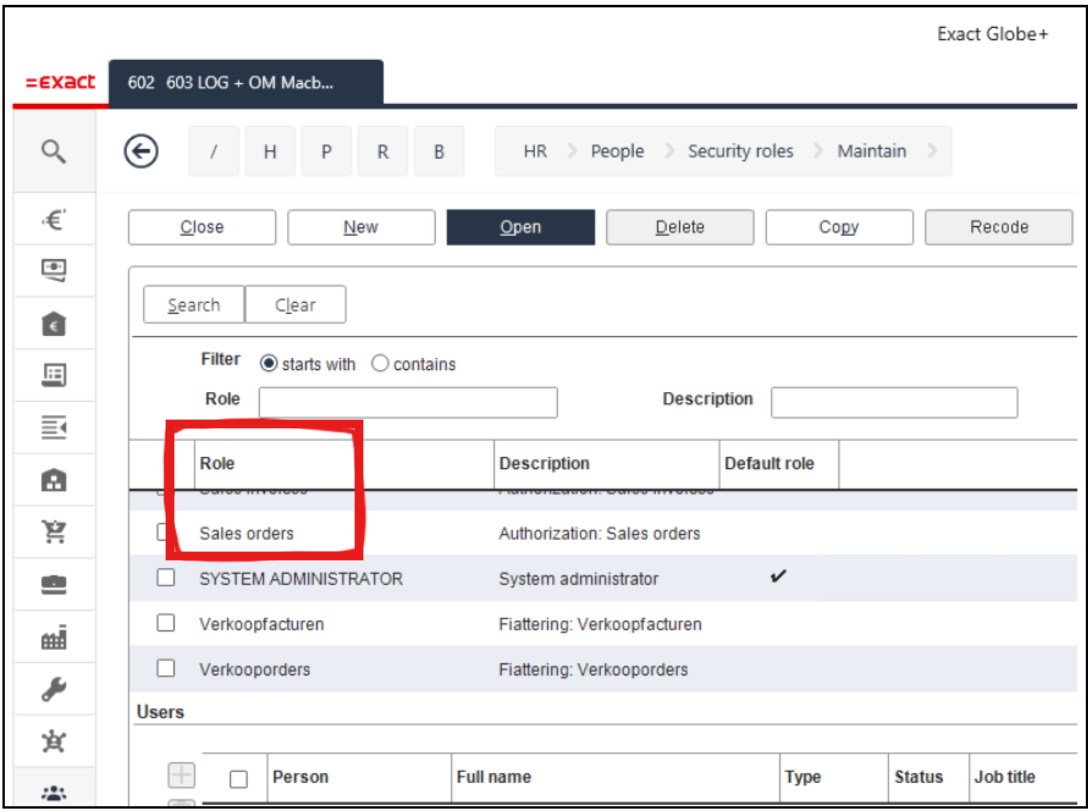
- Click Add role or Remove role to perform the action. Results can be verified in database table: pwruc.
How to use UserRoleLink entity service
The UserRoleLink service can only be used to add or remove role from user. You need the menu right to access HR > People > Security roles > Maintain to use this service. By default, users with the Administrators have this right.
- UserRoleLink.Create is used to add a role.
- UserRoleLink.Delete is used to remove a role.
The Validate, Open new and Update operations are not supported.
Adding a role to user
- Refer to the test application AddRole function.
- Fill in the following entity parameters and use the Create operation to add a role to user.
- ResourceID: This is the resource ID of the user.
- RoleID: This is the role ID of the role to be added.
- (Optional) UnblockUser: The value of this parameter will be defaulted to False if the property is not provided.
- Setting the value to True will unblock the user when you add a role to that user. For example, if user Aaron de Wit is currently blocked in Globe+, changing the value to True will unblock Aaron de Wit after adding a role, allowing this user to use Globe+. Note that the service will fail if the license user count is not sufficient to unblock this user.
- Setting the value to False or when the property is not provided, will only add the role to the user. The blocked status remains unchanged for that user.
- Note that this property is only used to unblock users. It cannot be used to block users.

Getting ResourceID
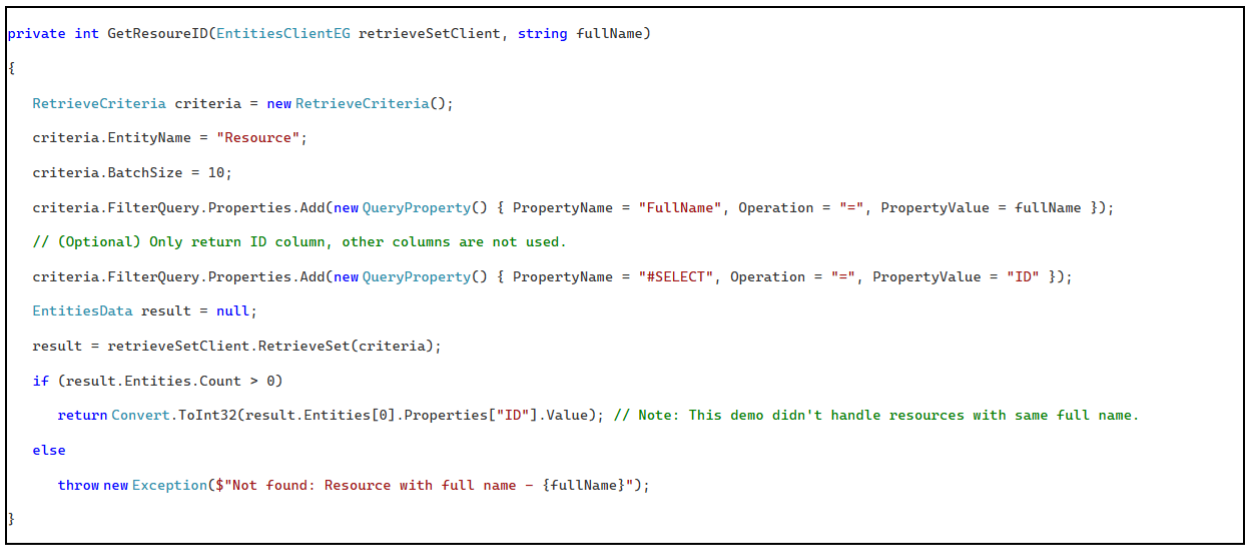
It is possible to query the ResourceID if it is unknown. You can refer to the GetResoureID function in the test application. It uses the RetrieveSet operation on the resource entity to query the ResourceID using a full name. Note that other filter criteria can also be used if it can uniquely identify a user.

Getting RoleID
You can refer to the GetRoleID function in the test application. It uses the RetrieveSet operation on the BrowserData.UserRoles entity to query RoleID using a role name.
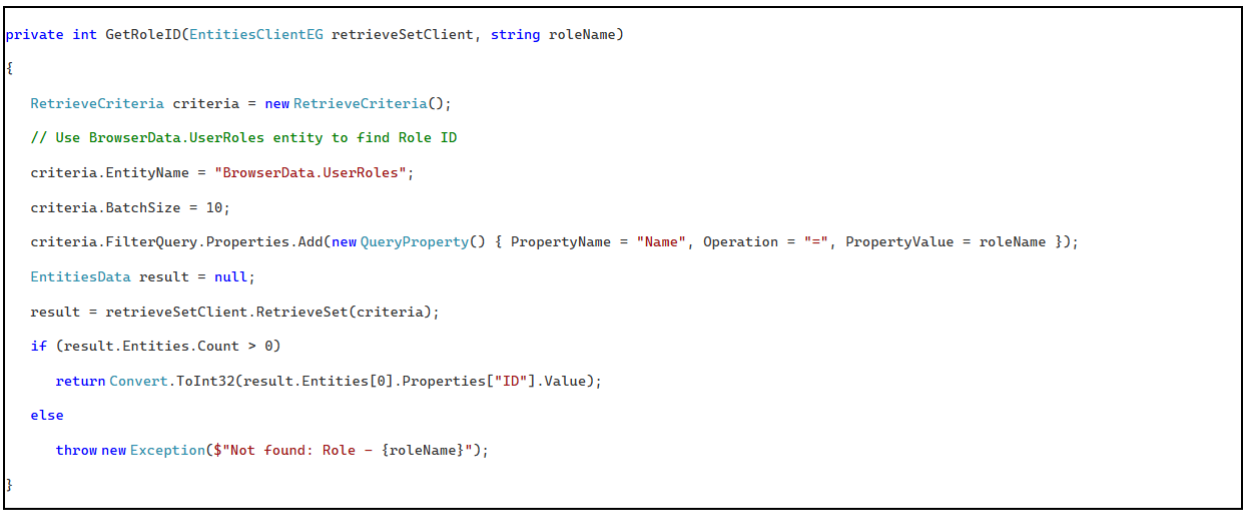
The complete add role operation can be found in btnAdd_Click function.
Removing a role from a user
You can refer to the RemoveRole function in the test application. Fill in the following entity parameter and use the Delete operation to remove a role from a user:

Getting record ID of pwruc
You can refer to the GetUserRoleLinkID function in the test application. It uses the RetrieveSet operation on the UserRoleLink entity to query the ID using ResourceID and RoleID as query filter.
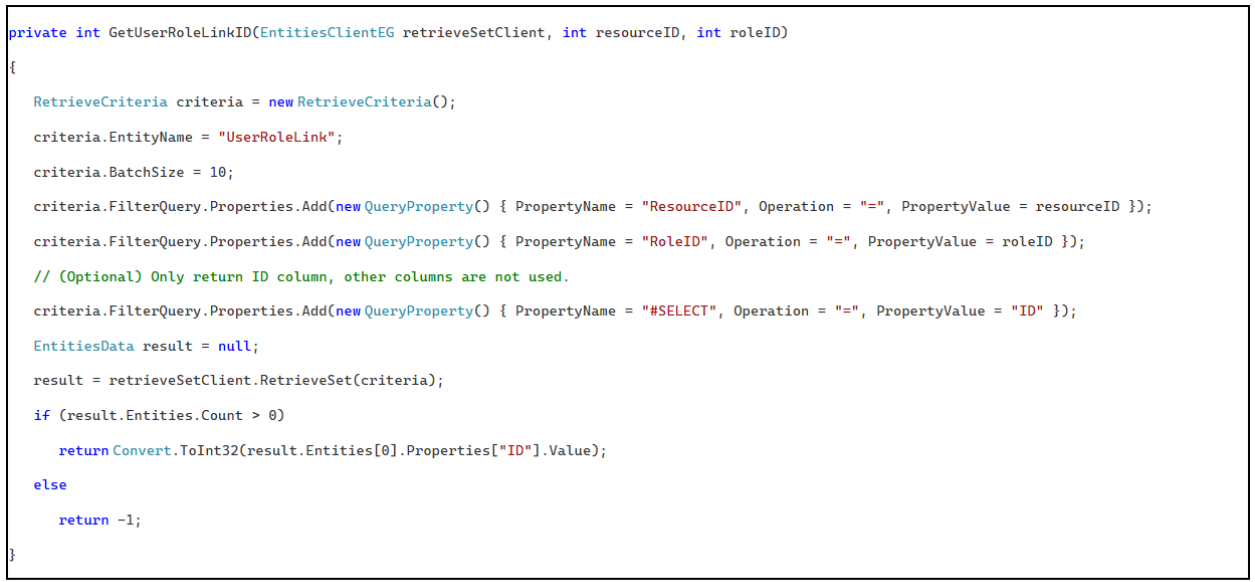

The complete remove role operation can be found in the btnRemove_Click function in the test application.
| Main Category: |
Attachments & notes |
Document Type: |
Online help main |
| Category: |
|
Security level: |
All - 0 |
| Sub category: |
|
Document ID: |
33.124.277 |
| Assortment: |
Exact Globe+
|
Date: |
05-06-2026 |
| Release: |
507 |
Attachment: |
|
| Disclaimer |